As a seasoned Sims 4 veteran, you’ve probably grown tired of the tedious ritual of punching in cheat codes over and over again in EA’s beloved simulation game. Well, let me tell you about a mod that’s about to revolutionize your gameplay: the UI Cheats Extension.
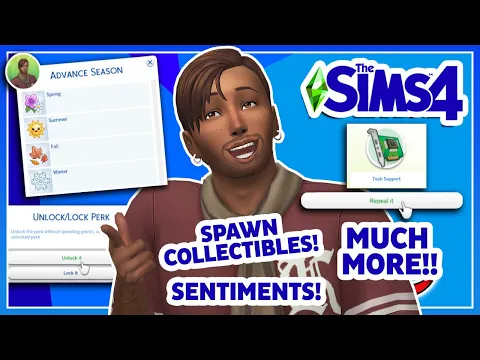
Gone are the days of pausing the action, opening up the cheat console, and racking your brain for the exact command you need. With this nifty mod, all it takes is a simple right-click on various elements of the game’s interface, and voilà – you’ve got what you want, no fuss, no muss.
In this article, I’m going to hook you up with the UI Cheats Sims 4 Extension, boasting the latest and greatest version 1.49 that just dropped in 2025. Trust me, this is a game-changer you won’t want to miss out on.
What’s New in v1.49 (Updated July 02, 2025)
- Updated for game version 1.116.202 (Enchanted by Nature patch).
- Fixed the club points cheat not working.
- Added a new power/water cheat to the Bills & Utilities panel.
v1.48 (Updated May 27, 2025)
- Updated for game version 1.115.216.
- Fixed a few issues related to the skill cheat.
- Added new small business cheats (renown, alignment, perk points, perk locking/unlocking).
Also Check: Dude Theft Wars Cheats
Download UI Cheats Sims 4 Extension
Here is the download link for Sims 4 ui cheats. The zip file size is 12.5 MB. If you don’t know how to install it, check out the guide below.
How to Activate UI Cheats Extension
Once you download the zip file from the above link, here’s how to activate the UI Cheats Extension in The Sims 4:
Step 1: Extract the Files
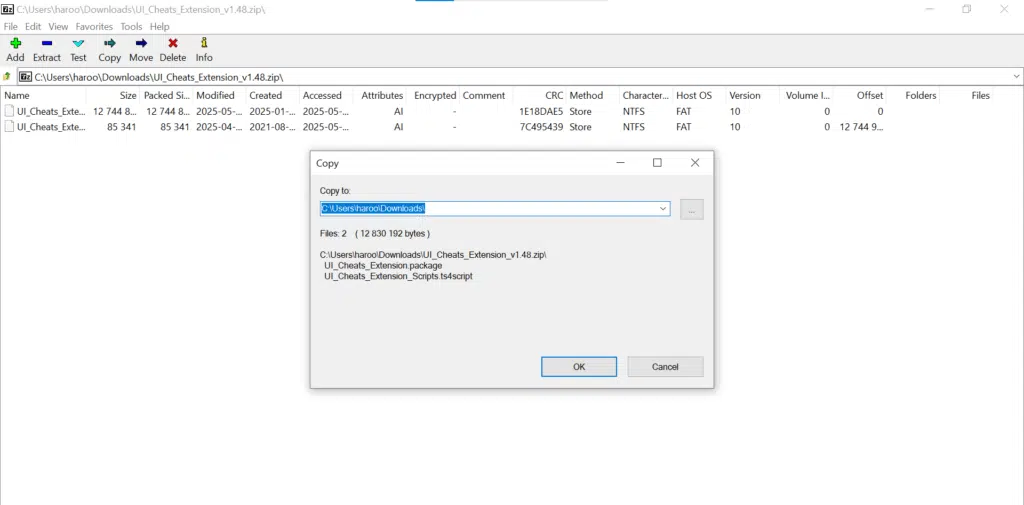
After downloading the .zip file, right-click and choose Extract All. You should see a folder with .package and .ts4script files.
Step 2: Move to the Mods Folder
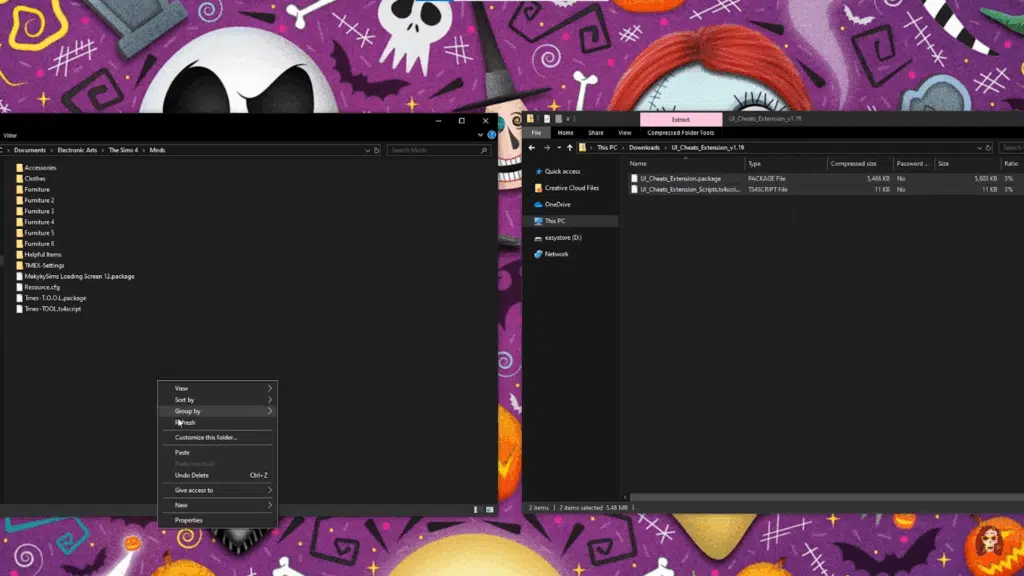
Place the extracted folder directly into your Mods folder:
Documents > Electronic Arts > The Sims 4 > ModsStep 3: Enable Mods in the Game
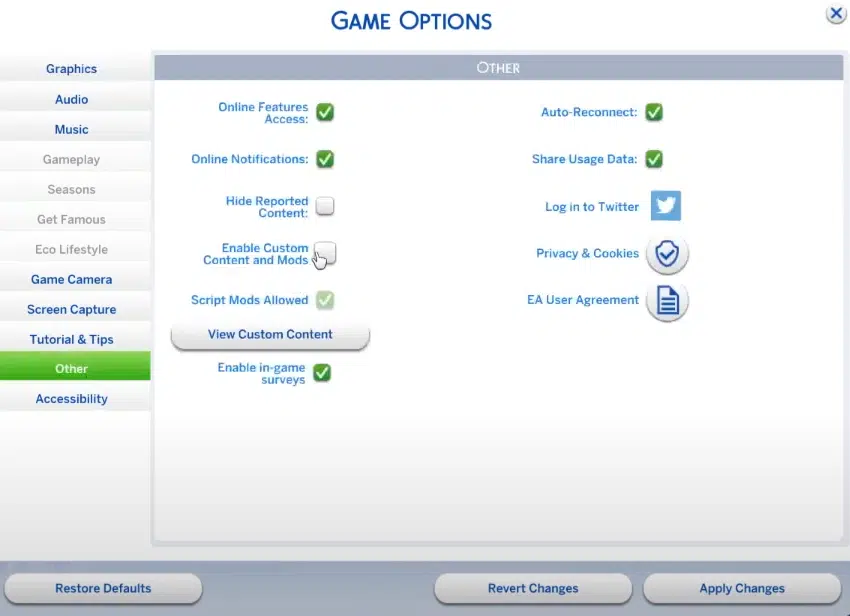
Open The Sims 4. Go to:
Game Options > Other- Check Enable Custom Content and Mods
- Check Script Mods Allowed
- Click Apply Changes
- Restart the game
Step 4: Verify Activation
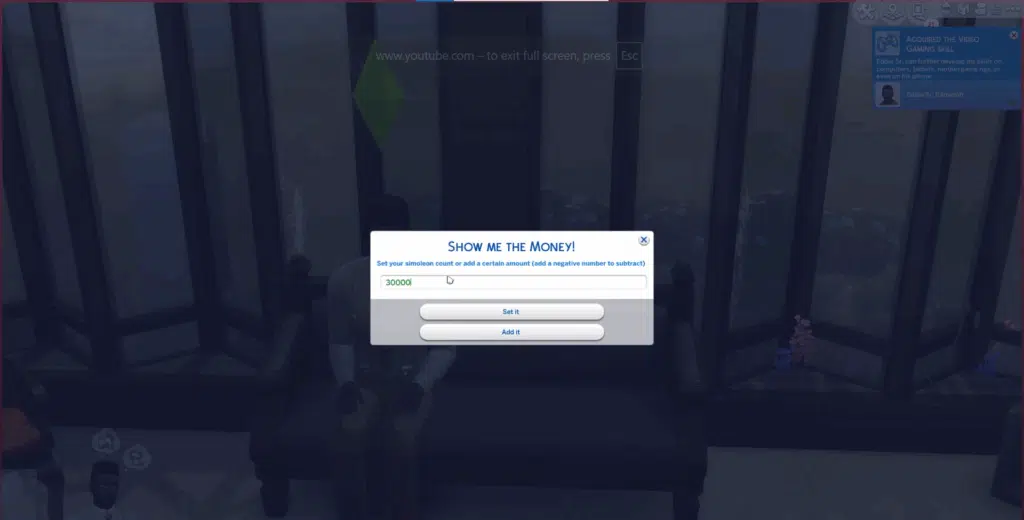
After restarting, right-click on things like needs, money, or moodlets in the game. If the mod is working, you’ll see new options appear, like instantly changing needs or adding Simoleons.
However, if cheat windows are showing up but nothing actually happens after you type in a value, it usually means the package file is working, but the script file isn’t. This often happens when the script is buried too deep in folders. Make sure the script file is placed no more than one folder deep inside your Mods folder. Also, double-check that “Script Mods Allowed” is turned on in your game settings under the “Other” tab. Without that, the mod won’t fully work.
Key Features
Here are the main features of the ui cheats extension Sims 4:
- Right-Click to Add Simoleons
Instantly increase or decrease your household funds by right-clicking the money counter. - Adjust Needs Directly
Right-click or drag the needs bars (hunger, energy, fun, etc.) to fill or lower them instantly. - Change Relationships
Right-click on relationship bars in the Sim profile to set friendship or romance levels. - Set Job Performance & Promotions
Modify job performance or promote/demote Sims by right-clicking on their career panel. - Control Time
Right-click the in-game clock to set the time to whatever you want. - Instantly Complete Aspirations or Milestones
Right-click on aspiration goals or career tasks to mark them as completed. - Change Traits and Moodlets
Remove moodlets or add new ones by right-clicking them. You can also change traits without using CAS. - Edit University Grades
If your Sim is in university, you can right-click to adjust homework, class performance, or final grades. - Modify Household Bills
Right-click your bills to pay or remove them instantly.
Conclusion
In this article, I’ve included a download link and a step-by-step guide on how to use the extension. If you’re looking for the latest version, check back later. I’ll update the page as soon as a new one goes live. Thanks for reading all the way to the end. If you love this, you must also try MC Command Center for more fun.
Faqs
What are UI cheats in Sims 4?
UI Cheats Extension is a mod for The Sims 4 that lets you use cheats directly through the game’s interface. Instead of typing codes into the cheat console, you can right-click things like needs bars, money, or relationships to make instant changes. It makes using cheats much faster and more user-friendly.
Is UI cheats a script mod?
Yes, UI Cheats Extension is a script mod. It uses a combination of script and package files to function. That’s why it’s important to place the script file no more than one folder deep inside your Mods folder and make sure “Script Mods Allowed” is enabled in the game settings. Without this, the mod won’t work properly.
What is a UI extension?
It’s a mod for The Sims 4 that lets you use cheats with just a click. Instead of typing commands, you can right-click on things like needs, money, or relationships to make instant changes.
Why isn’t UI cheats working in Sims 4?
UI Cheats will not work if the script file is too deep, script mods aren’t enabled, or the mod is outdated.
Disclaimer: This Article is only for Educational purposes. Sumorb never distributes any unauthorized hacks, mods, or cheats.